Fill cancelled Calendly slots automatically
Give your fully booked events a waitlist. When a client cancels, the people waiting get an email with a link to that exact time, and the first to book gets it.
14-day free trialNo card neededAbout 2 minutes to set up
- Works with Calendly
- Secure Calendly login (OAuth)
- No card for the trial
- Your booking rules stay the same
Set up in about 2 minutes
How it works
Three steps, then it runs on its own.
- Step 1
Connect Calendly
Log in with Calendly. We set up a waitlist page for each of your event types and start watching for cancellations.
- Step 2
Share your waitlist link
Put the link in your booking page description, website or "I'm fully booked" replies. Clients join with a name and email.
- Step 3
Cancellations get refilled
When a slot frees up, everyone matching gets an email with a direct booking link. The first to book wins, and the rest stay on the list.
One cancellation, start to finish
See it in action
An illustrative example with sample names.
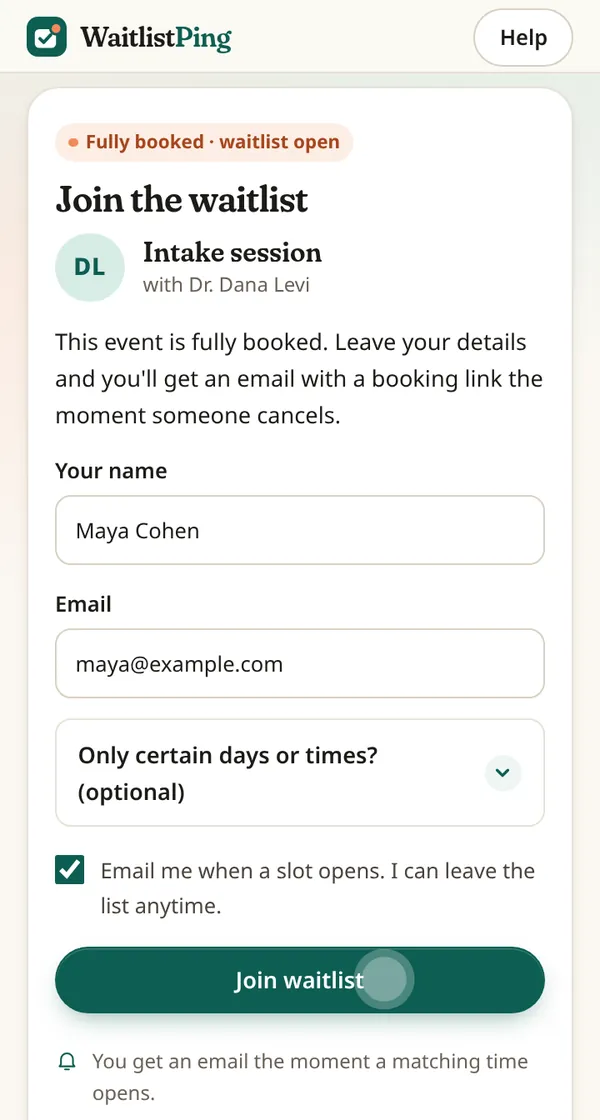
1A client joins your waitlist
Your times are fully booked, so they open your waitlist link on their phone and leave a name and email.
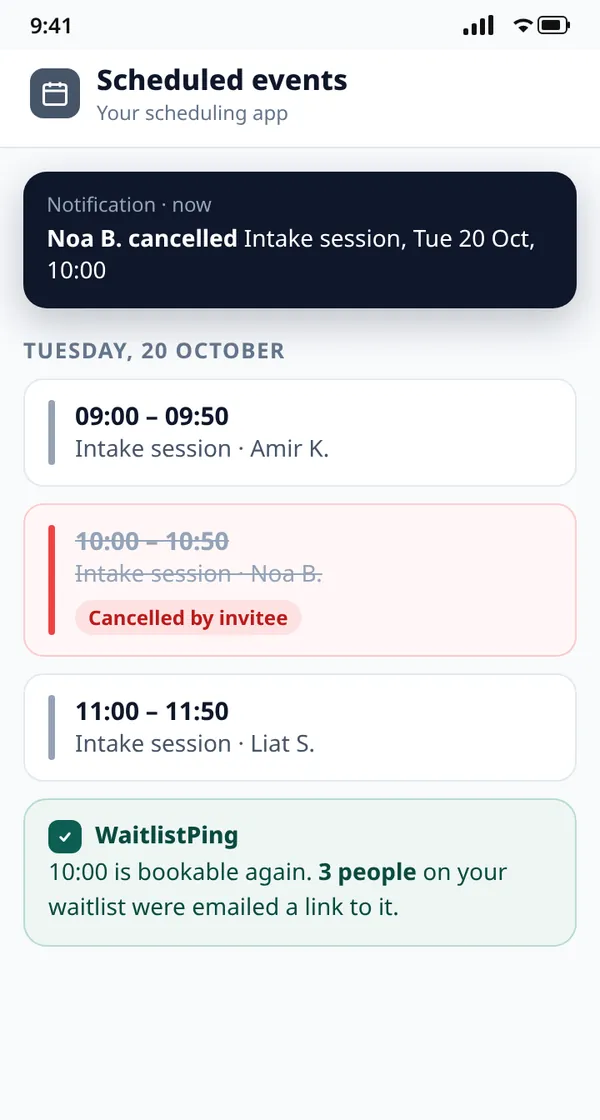
2Someone cancels
A booking is cancelled in your scheduling app. WaitlistPing sees it, checks the time is bookable again and notifies the waitlist.
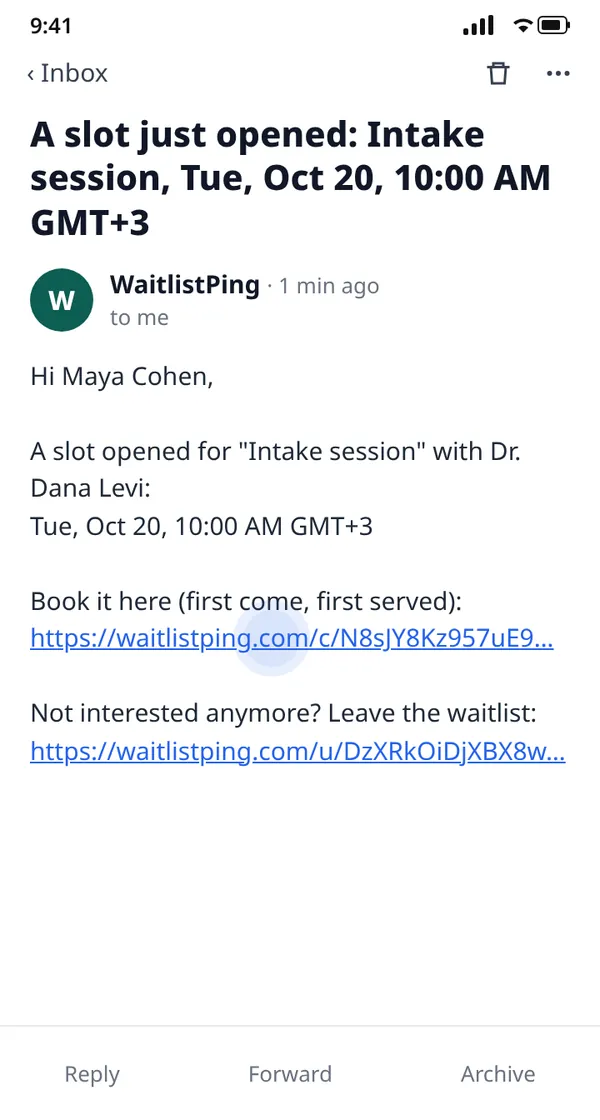
3They get an email offer
Everyone matching gets an email with a direct link to that exact time. First to book gets it.
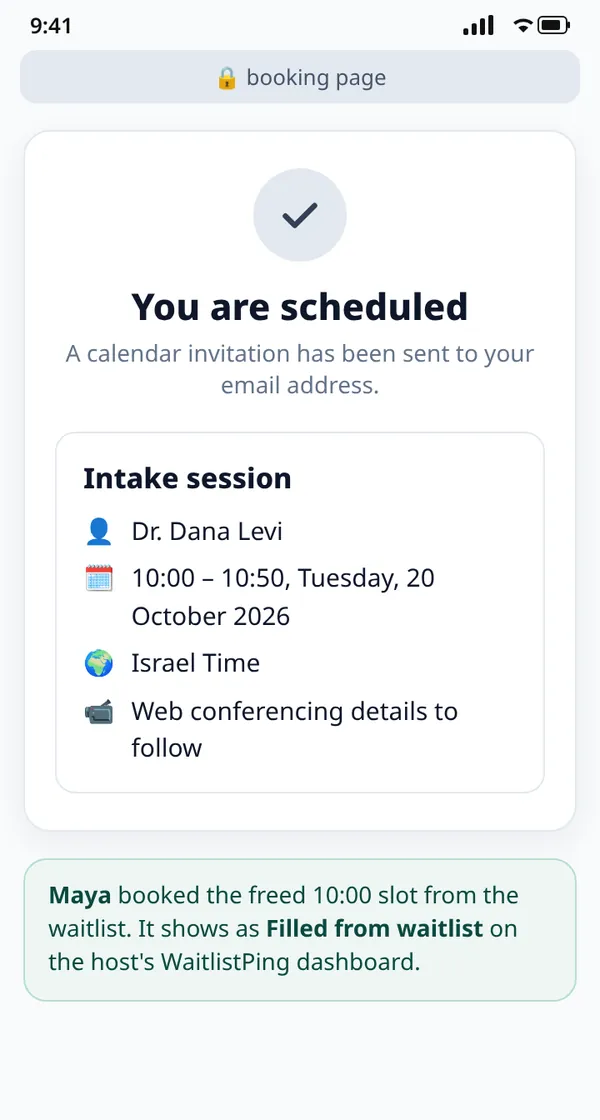
4They book the freed slot
One tap opens your booking page on that time. The slot is refilled and counted on your dashboard.
Illustrative mockups. Screens 1 and 3 are WaitlistPing's real waitlist page and offer email. Screens 2 and 4 show a generic scheduling app, not Calendly's actual interface.
Built for
Made for people who are booked out
If a cancelled hour is lost income, a waitlist pays for itself the first time it fills one.
Coaches
Keep your calendar full when clients move sessions around.
Therapists
Give clients who want an earlier appointment a fair way to get one.
Tutors
Fill freed lesson slots before exam season gets busy.
Consultants
Turn last-week cancellations into billable calls.
Savings calculator
What do cancellations cost you?
Pick the numbers closest to your practice.
Cancelled sessions are worth
$260$430$650$1,080$520$870$1,300$2,170$780$1,300$1,950$3,250$1,300$2,170$3,250$5,420 / month
Refill just 1 in 4 of them and you get back about $65$110$165$270$130$215$325$540$195$325$490$815$325$540$815$1,355 a month, for $15.
One refilled session pays for 4 months6 months10 months16 months of WaitlistPing.
Estimate: cancellations per week × price × 52 weeks ÷ 12 months. Actual refills depend on your waitlist and how far ahead people cancel.
Pricing
Simple pricing
One plan. Try everything free for 14 days.
- One Calendly account
- Waitlists for all your event types
- Instant email offers on every cancellation and reschedule
- Day and time preferences for your clients
- Dashboard of slots refilled from the waitlist
Paid plans are coming soon. You won't be charged during the trial, and we'll ask before taking any payment.
Is this built into Calendly?
No. Calendly has no waitlist feature. WaitlistPing works alongside it: you connect your Calendly account, we watch for cancellations, and you share your waitlist link with clients.
How do clients find my waitlist?
You add your waitlist link to your Calendly event description, your confirmation page, your website or your replies to clients. The dashboard has copy-paste buttons, a badge and a QR code.
Do I need a paid Calendly plan?
Yes. WaitlistPing listens for cancellations through Calendly webhooks, which Calendly only offers on paid plans (Standard or higher). Calendly's own free trial of a paid plan also works.
Does WaitlistPing book appointments for people?
No. We email the people on your waitlist a link to the freed time, and they book it on your normal Calendly page. Your booking rules, questions and payments stay exactly as they are.
What if two people click at once?
The first person to finish booking on Calendly gets the slot. Anyone who clicks after it's taken sees a "sorry, it's gone" page and stays on the waitlist for the next opening.
What about last-minute cancellations?
By default we skip openings that start in less than 60 minutes, so nobody gets an offer they can't realistically take.
Can people choose which days or times suit them?
Yes. When joining, people can pick the weekdays and hours that work for them, and we only email them about matching openings.
Do reschedules count?
Yes. When a client moves their booking, the old time is freed and offered to your waitlist.
How do people leave the waitlist?
Every email has a one-click link to leave the list. People who book are taken off automatically.
Can I disconnect?
Yes. You can revoke WaitlistPing's access in your Calendly settings at any time, and email support@waitlistping.com to have your data deleted.
Your next cancellation can be someone's booking
Connect Calendly, share one link, and let the waitlist do the rest.
14-day free trial · No card needed